Carrying Your License on Your Phone
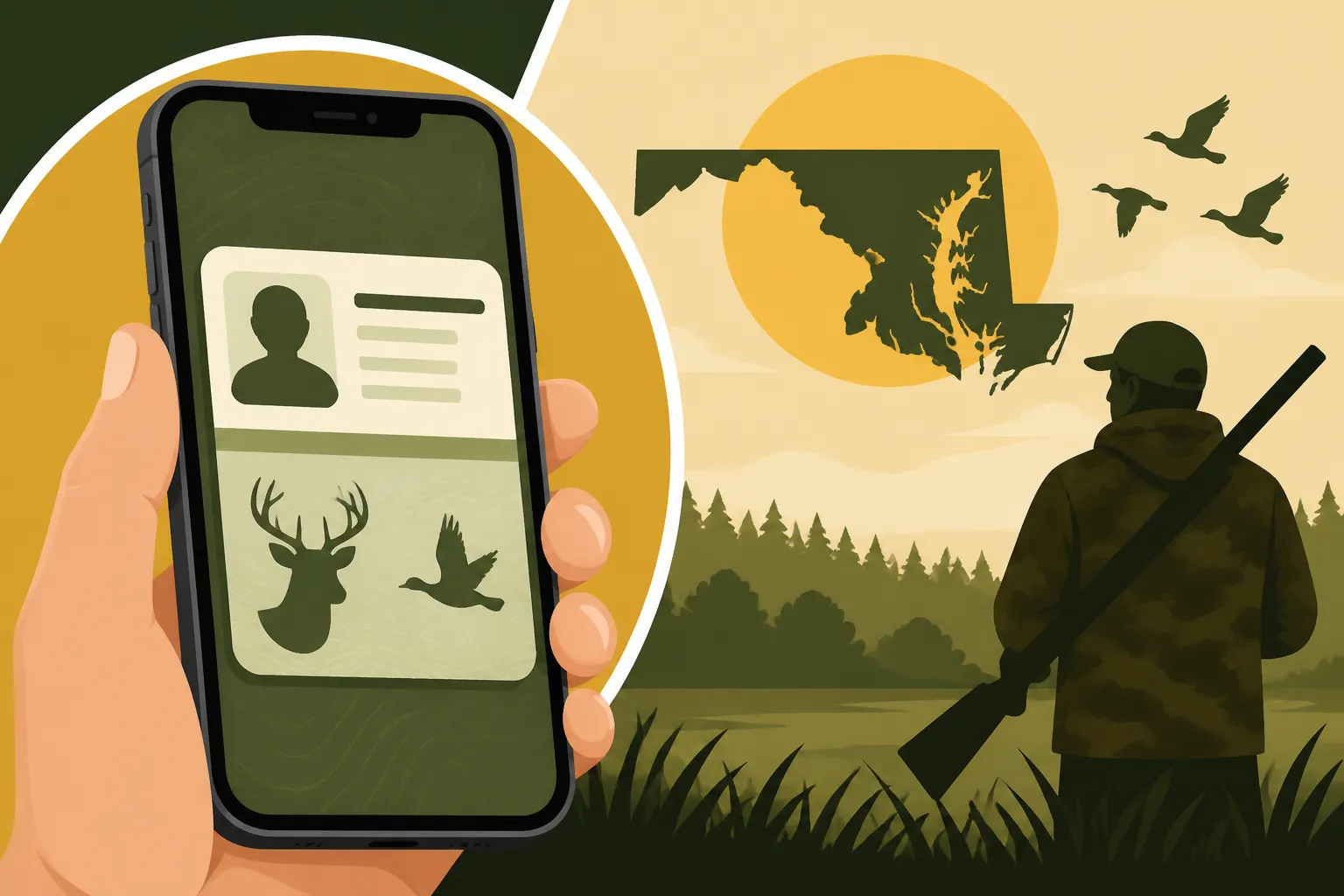
We've all been there: fumbling through a wallet or digging deep into a vest pocket, frantically searching for that elusive paper hunting license when a game warden pulls up. The anxiety of potentially losing it, or having it turn into soggy pulp after a rainy day in the marsh, is a frustration most Maryland hunters know intimately. Thankfully, modern technology offers a much smoother solution, and this guide is here to walk you through exactly how you can confidently carry your Maryland hunting license right on your phone, making those paper worries a thing of the past.
The Evolution of Maryland Hunting Licenses
The journey from a flimsy piece of paper to a digital file on your smartphone reflects a broader shift towards convenience and accessibility in many aspects of our lives, and Maryland hunting is no exception. For years, hunters relied solely on physical documents, which, while traditional, came with their own set of inherent challenges.
From Paper to Digital: The Modern Hunter's Convenience
Think back to the days when you purchased your license, stamps, and permits at a local tackle shop or directly from the Department of Natural Resources (DNR) office. You'd get a small, often perforated paper document that you were legally required to carry while hunting. It was a tangible proof, but also a fragile one. A sudden downpour could render it illegible, or a simple slip from a pocket could mean it was gone forever, leading to the hassle and cost of replacement. Many a hunter has returned from a successful outing only to realize their license was somewhere between the truck and the treestand, a truly disheartening experience.
The shift to digital options wasn't just about environmental consciousness, though reducing paper waste is certainly a benefit. It was primarily driven by the need for more robust, accessible, and user-friendly proof of licensing. Imagine the peace of mind knowing your license is always with you, as long as you have your phone – a device most of us rarely leave home without these days. This convenience helps validate frustrations around misplacing crucial documents and simplifies the process of staying legal in the field.
Initially, some hunters were skeptical, worrying about cell service in remote areas or the legality of a digital image. These are valid concerns, and Maryland has worked to address them, understanding that the transition needed to be seamless and reliable for hunters. The goal was to maintain compliance without adding new layers of stress, ensuring that showing proof of a valid license was as straightforward as possible, even with evolving technology.
Maryland's Embrace of Technology for Hunters
Maryland has been at the forefront of integrating technology into its hunting and fishing licensing system. The state's online portal, COMPASS (Customer Online Management Permitting and Safety System), is the central hub for purchasing and managing all your Maryland hunting licenses and permits. This system was a game-changer, moving beyond mail-in applications or specific vendor visits to a 24/7 online platform. When you want to purchase a new license or renew an old one, the COMPASS system is where you'll go. It's a vast improvement from needing to remember specific office hours or hoping your local vendor isn't out of stock.
What's particularly great about the COMPASS system is its flexibility regarding how you carry your license. Once you've completed a transaction for your Maryland Hunting Licenses and What They Cost, the system generates a digital copy of your license and any associated stamps (like a bow stamp or a Sika Deer Stamp Cost for Residents). This digital document holds the same legal weight as a physical one. This means you are absolutely within your rights to present your license to a Natural Resources Police officer on your smartphone, provided it's clearly legible and easily accessible.
This forward-thinking approach understands that modern hunters rely on their smartphones for everything from navigation, like using apps for Scouting Maryland Public Land With Aerial Photos, to checking weather and communicating with hunting buddies. By allowing digital licenses, Maryland acknowledges this reality and makes compliance easier for everyone. It removes the extra step of having to print something out or wait for it to arrive in the mail, streamlining the entire process.
How to Carry Your Maryland Hunting License on Your Phone
Now that we know it's not only possible but entirely legal, let's dive into the practical steps of getting your Maryland hunting license onto your phone, ready for your next adventure in the woods or marsh. The key here is ensuring it's always available, even when technology might throw a curveball.
Accessing Your License Through the COMPASS System
The primary method for getting your license on your phone starts right where you bought it: the Maryland DNR COMPASS portal. After you've successfully completed your purchase through the Buying a Maryland License Through COMPASS system, you'll typically be given the option to print your license immediately. However, you don't have to print it. Instead, you can save the PDF document directly to your smartphone.
Here's how most folks do it: Once you've finished your purchase on your computer or phone browser, look for a "Print License" or "Download PDF" button. If you're on your phone, selecting "Download PDF" will usually save it directly to your phone's downloads folder. If you're on a computer, you can email the PDF to yourself and then open that email on your phone, downloading it there. The important part is to save it to a location on your phone that you can easily access without an internet connection. Many phones have a "Files" app or a dedicated "Downloads" folder where these documents are stored.
Once downloaded, you can also consider moving it to a more prominent location, like your photo gallery (by taking a screenshot of the PDF) or a dedicated "Hunting Docs" folder. The goal is quick, easy retrieval. Remember, just like knowing What a Maryland Hunting License Year Covers, knowing where your digital license is saved is paramount. Don't just download it and forget about it; make sure you know exactly how to pull it up when asked.
Utilizing Third-Party Apps and Digital Wallet Options
Beyond simply saving a PDF, you have other options to integrate your license more seamlessly into your digital life. Many modern smartphones offer "digital wallet" features, such as Apple Wallet or Google Pay. While these are primarily for payment cards, some allow you to add "passes" or "documents." You might be able to create a custom pass for your hunting license, although this can sometimes be a bit clunky and isn't officially supported by DNR.
A more robust and hunter-centric solution often comes in the form of dedicated hunting apps. Platforms like GoHunt, for example, offer a comprehensive suite of tools for hunters, including mapping, weather forecasts, and, yes, a convenient place to store your licenses digitally. With GoHunt, you can often upload your Maryland hunting license PDF directly into the app, integrating it with your other hunting data. This means all your crucial information – from your license details to your maps and scouting notes – lives in one convenient place.
Using an app like GoHunt not only keeps your license handy but also offers added functionalities that enhance your overall hunting experience, like helping you find Finding Maryland Property Lines Before You Hunt or identifying public land boundaries. It’s about creating a single, powerful digital toolbox rather than just a digital copy of a paper document. This kind of integration can significantly reduce field frustrations, especially when you're far from civilization and need information quickly.
The Importance of a Backup Plan
While carrying your license on your phone is incredibly convenient, it's crucial to remember that technology isn't infallible. Phones run out of battery, screens crack, and sometimes, despite our best efforts, we end up in areas with absolutely no cell service. This is why having a backup plan isn't just a good idea; it's essential for preventing a ruined hunt or, worse, a citation.
Imagine you're deep in Still-Hunting Western Maryland Mountain Timber on a cold November day. Your phone battery, already taxed by the chilly air, suddenly dies just as a DNR officer approaches. Without a backup, you're in a tough spot. A simple solution is to carry a printed physical copy of your license in a waterproof bag in your backpack or truck. It’s old-school, but it works. Think of it as your emergency reserve.
Another excellent backup strategy is to save your digital license PDF to a cloud storage service (like Google Drive or Dropbox) AND email it to a trusted friend or family member. That way, if your phone is lost or damaged, you might still be able to access it from another device or have someone send it to you. You could also save it on a small, rugged USB drive that you keep in your vehicle. The key is redundancy. Never rely solely on a single digital instance, especially when cell service is often spotty in prime hunting locations. This proactive approach ensures you're always prepared, no matter what surprises the wilderness—or your technology—throws your way.
Legalities and Best Practices for Digital Licenses in Maryland
Understanding the convenience of digital licenses is one thing, but knowing the specific legalities and best practices in the field is another. Maryland has clear guidelines, and adhering to them ensures a smooth interaction with law enforcement and a stress-free hunt.
Understanding Maryland's Rules on Digital Proof
Maryland's Department of Natural Resources has officially sanctioned the use of digital licenses. This means that if a Natural Resources Police officer asks to see your hunting license, presenting a clear, legible image of your current Maryland hunting license on your smartphone screen is perfectly acceptable. You won't be penalized for not having a physical paper copy, as long as the digital version is correct and accessible.
However, there are a few important caveats. The digital license must be your license. You cannot present a picture of someone else's license, nor can you alter the digital document in any way. It needs to be the original PDF or a clear, unaltered screenshot of that PDF. Furthermore, it must be current. Just like a physical license, an expired digital license is not valid. When you are asked to show your license, ensure your phone's screen brightness is up and the officer can easily read all the details, including your name, license number, and the valid dates. This demonstrates respect for the officer and helps expedite the check.
The official stance removes the guesswork. There's no need to wonder if a specific officer will accept it; the statewide rule is clear. This clarity benefits both hunters and law enforcement, streamlining field checks and allowing everyone to focus on safety and compliance. It's a modern solution to a modern problem, aligning with the ways people already manage important documents in their daily lives.
Practical Considerations in the Field
Beyond the legal aspects, real-world hunting conditions present unique challenges for relying on a smartphone. These aren't necessarily legal issues, but practical ones that can severely impact your ability to present your license when needed.
One of the biggest concerns is battery life. Modern smartphones, especially in cold weather, can drain their batteries surprisingly quickly. This is particularly true if you're using GPS apps, checking the weather, or communicating with partners. Always start your hunt with a fully charged phone, and consider carrying a portable power bank (a small, external battery charger) in your pack. There are many rugged, waterproof options available that can withstand the elements, ensuring you can recharge your phone multiple times during a multi-day trip or even just a long day out. You don't want your phone to die just as you're trying to Registering a Maryland Deer by Phone or App after a successful harvest.
Screen visibility is another factor. In bright sunlight, especially when you're in an open field or marsh, it can be incredibly difficult to see your phone screen, let alone for an officer to read small text. Adjust your screen brightness to maximum when presenting your license. If possible, step into some shade or use your hand to create a shadow over the screen. Also, protect your phone from the elements. A good waterproof case is an absolute must, not just for keeping your license safe but for protecting your expensive device from rain, mud, or an accidental drop into a puddle. Many hunters use brands like OtterBox or LifeProof for reliable protection.
Think about a scenario where you're Wading Into a Dorchester Marsh Before Daylight and your phone slips into the murky water. A waterproof case might save it, but even then, moisture can affect screen responsiveness. Always prepare for the worst, which is why the backup physical copy or a second digital copy stored elsewhere is so critical.
Beyond the License: Other Digital Tools for the Maryland Hunter
While carrying your license digitally is a significant step, your smartphone offers so much more to enhance your Maryland hunting experience. Modern hunting apps have transformed how we scout, navigate, and even understand game behavior.
For instance, apps like GoHunt are invaluable. They don't just store your license; they provide detailed satellite imagery and property boundaries, helping you identify Reading Sign in Maryland Mountain Timber or understand where you stand in relation to Maryland's Public Land Hunting Permits. This is especially useful when hunting areas like Maryland's Savage River State Forest or Maryland's Green Ridge State Forest, where public land borders private property and knowing your exact location is crucial to avoid trespassing, which can lead to serious penalties under What Maryland Trespass Law Requires.
These apps also often integrate regulations and season dates, providing instant access to information about Maryland's Deer Bag Limits and Antler Rule or Maryland Duck Season Dates. No more flipping through a paper regulation booklet with cold, wet fingers. Many also offer tools for recording observations, tracking game sign, and even marking blood trails. If you're fortunate enough to harvest a deer, the Maryland DNR offers digital platforms for Registering a Maryland Deer by Phone or App, further streamlining your post-harvest responsibilities. It's truly a comprehensive tool for the modern hunter, turning your phone into an indispensable companion that goes far beyond just proving you're legal to hunt.
Benefits and Drawbacks of Going Digital
Embracing digital licenses comes with a host of advantages, but like any technological shift, it also introduces a new set of challenges that hunters should be aware of. Understanding both sides of the coin will help you decide if going fully digital is the right move for you.
The Perks of a Paperless Wallet
The most immediate and obvious benefit of carrying your Maryland hunting license on your phone is unparalleled convenience. Most of us have our phones with us at all times, making it virtually impossible to forget your license at home. No more last-minute scrambles, no more detours to pick up a forgotten piece of paper. Your license is literally at your fingertips, nestled among your contacts and social media apps. This convenience is a huge relief, especially for those early morning starts when your brain isn't fully caffeinated yet.
Beyond just not forgetting it, digital licenses are far more durable than their paper counterparts. They can't get wet, torn, or crumpled. A well-protected phone keeps your license safe from the elements, a major advantage for waterfowl hunters out in a blind or deer hunters enduring a rainy day in the woods. This robustness provides significant peace of mind. Plus, if you manage to lose your physical license, getting a new digital copy is as simple as logging into your COMPASS account and redownloading the PDF, often free of charge, unlike the replacement fee for a physical one.
Finally, the integration potential with other hunting applications, such as GoHunt, is a massive bonus. Having all your critical hunting data – maps, regulations, weather, and your license – in one place makes for a much more organized and efficient hunting experience. It streamlines everything from pre-hunt scouting to in-field navigation and post-harvest reporting. This synergy is something a standalone paper license can never offer.
The Potential Pitfalls to Watch Out For
However, the digital world is not without its imperfections, and these can become significant drawbacks for hunters. The primary concern revolves around technological failures. What happens if your phone battery dies unexpectedly, especially if you're in a remote area without a charging source? Or if your screen gets damaged, making the license unreadable? These scenarios, while not common, can happen, and they immediately render your digital license inaccessible, potentially leading to issues with law enforcement.
Another critical factor in many hunting areas is the lack of cell service. While you can often access a downloaded PDF offline, some app-based solutions might require a brief internet connection to verify credentials or load updates. If you're deep in the Appalachian Mountains or out on a remote marsh in Dorchester County, signal can be non-existent. This reliance on a stable connection can be a major headache and emphasizes the need for offline accessibility and a robust backup.
Security is also a consideration. If your phone is lost or stolen, your hunting license, along with other personal information, could fall into the wrong hands. While this is a broader risk of carrying a smartphone, it's something to be aware of. Lastly, for some hunters, especially those who aren't as tech-savvy, the initial setup and ongoing management of a digital license can feel daunting. There's a learning curve, and ensuring the license is always correctly saved, accessible, and backed up requires a degree of digital literacy that not everyone possesses. These potential pitfalls underscore why a hybrid approach, with a digital license as your primary and a physical copy as a reliable backup, is often the wisest strategy.
Comparing License Carrying Methods
To help you weigh the pros and cons, here’s a quick comparison of carrying methods for your Maryland hunting license:
| Feature | Physical Paper License | Digital License on Phone |
|---|---|---|
| Convenience | Requires remembering specific document | Always with you if phone is |
| Durability | Susceptible to water, tearing, loss | Protected by phone/case, impervious to elements |
| Accessibility | Requires physical retrieval from wallet/vest | Quick access via phone screen |
| Backup | Easy to make photocopies | Easy to download, email, or cloud-save PDF |
| Field Check | Tangible proof, universally understood | Accepted legally, requires working phone |
| Battery Life | Not applicable | Critical reliance on phone battery |
| Cell Service | Not applicable | Essential for some app features, not downloaded PDFs |
| Cost | Potential replacement fees for loss | No extra cost, part of license purchase |
| Integration | None with digital tools | Seamless with hunting apps (e.g., GoHunt) |
| Security | Low risk if lost (less info) | Risk of personal data exposure if phone lost |
Disclaimer
The information provided in this guide is for general informational purposes only and is not intended as legal advice. Hunting regulations and licensing requirements can change, so it's essential always to consult the official Maryland Department of Natural Resources (DNR) website and current hunting guide for the most up-to-date and accurate information before heading into the field. Ensure you are familiar with all relevant laws and regulations.